GPS Hive Mapping: How to Track Your Apiary Locations and Hive Positions
If you manage more than a handful of hives or apiaries, knowing exactly where everything is matters more than it might seem. GPS coordinates for your yards mean you can navigate to remote sites without relying on memory, share locations with employees or partners, and connect hive health data to physical locations in a meaningful way.
Why GPS Mapping Matters for Beekeepers
The basic value of GPS mapping is navigation, but for beekeepers the value goes deeper. When you attach a GPS coordinate to an apiary location, you can start connecting environmental context to hive performance. A yard that consistently runs high mite counts might be near a neighboring apiary. A yard that reliably produces strong colonies in spring might benefit from early forage in the surrounding landscape. Geographic data gives you a layer of analysis that inspection notes alone cannot provide.
For operations with multiple sites, GPS coordinates also solve the "which road do I turn on" problem. Directions written as prose degrade over time. The access road changes. The landmark tree gets cut down. A coordinate does not change. Put it in your phone's navigation and you arrive at the right place every time.
How to Capture GPS Coordinates
Modern smartphones make coordinate capture easy. On iOS, the Compass app shows your current coordinates. On Android, the GPS Status app or similar tools provide the same. Google Maps lets you drop a pin and share the coordinates.
For apiary use, capture coordinates while standing at the approximate center of your hive arrangement. Precision to five decimal places is more than adequate. A standard GPS coordinate accurate to four or five decimal places puts you within a few feet of your target, which is fine for navigating to a yard.
Capture the coordinate once and store it. Update it if you move the yard. Do not rely on recapturing it from memory or description later.
Individual Hive Position Mapping
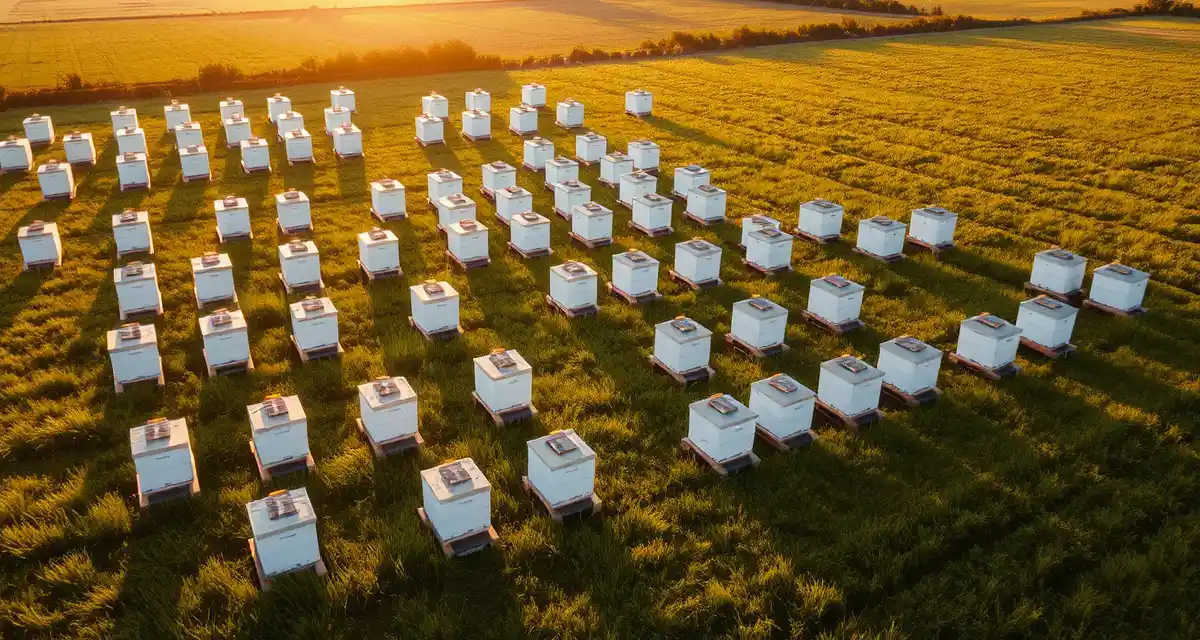
Beyond yard-level GPS, some beekeepers track individual hive positions within a yard. This is most useful in large apiaries where hives are arranged in rows and columns, and knowing which physical position corresponds to which hive record prevents inspection errors.
A simple approach is a hand-drawn or photographed map of the yard layout, numbered to match your hive IDs. A more systematic approach uses relative coordinates. If your yard's GPS anchor point is the northwest corner of the first hive, each subsequent hive position can be described as an offset from that anchor.
For most operations, a yard-level photo with hives numbered and labeled is sufficient. Take it once, store it with the yard record, and update it whenever hives are added, moved, or removed.
Connecting GPS Data to Hive Health Records
The real value of geographic data in beekeeping emerges when you connect it to inspection and mite count records. A map view that color-codes yards by current mite burden gives you an immediate visual summary of where your operation needs attention. Yards with clean mite counts appear one color. Yards at or above threshold appear in a warning color. You click a yard and see the underlying records.
VarroaVault supports GPS coordinates at the apiary level, allowing you to navigate directly to yard locations and view your operation geographically. Combined with the multi-apiary management features, the map view becomes a practical dispatch tool for planning your yard runs.
GPS for Pollination Placement
Beekeepers providing pollination services face additional mapping needs. Knowing the exact GPS coordinates of hive drop sites is essential for placement agreements, navigation with loaded trucks, and post-season reconciliation of which hives went where. Pollination contracts often specify hive density and placement patterns within fields, and having documented coordinates for each placement demonstrates compliance.
A GPS record of drop sites also protects you if there is a dispute about hive placement. A dated coordinate log shows exactly where hives were on a given date. That kind of documentation is worth having.
Practical Field Tips
A few habits make GPS tracking easier in practice:
Capture coordinates at the time of first setup rather than planning to do it later. Later often does not happen. If you are already at a new yard hanging equipment, take 60 seconds to open your phone and save the coordinate.
Use a consistent naming convention for yards. If your software records yards as Farm Name + Cardinal Direction + Number, stick to that format. Consistency makes sorting and searching practical.
For remote yards with limited cell service, download offline maps before heading out. Most navigation apps support this. A cached map of your operating area means GPS navigation works even without a signal.
Keep a note in your yard record for any non-obvious access details: gate codes, locked roads, seasonal closures, or terrain hazards. GPS gets you to the yard. Notes get you through the gate. See the remote apiary management guide for more on managing yards you cannot visit frequently.
FAQ
What is GPS Hive Mapping: How to Track Your Apiary Locations and Hive Positions?
GPS hive mapping is the practice of recording precise geographic coordinates for each apiary location and individual hive position within your operation. Using a smartphone or GPS device, beekeepers capture latitude and longitude data and link it to hive records. This creates a spatial layer on top of your inspection data, letting you navigate to remote yards, share locations with team members, and analyze how geography influences colony health and mite pressure over time.
How much does GPS Hive Mapping: How to Track Your Apiary Locations and Hive Positions cost?
GPS hive mapping itself costs nothing if you use a smartphone — the GPS hardware is already built in. Free apps like Google Maps or Notes can store coordinates at zero cost. Dedicated beekeeping apps with mapping features range from free tiers to roughly $5–$20 per month for premium plans. The main investment is time spent setting up coordinates. For most beekeepers, the core functionality is accessible without spending anything beyond what they already own.
How does GPS Hive Mapping: How to Track Your Apiary Locations and Hive Positions work?
You open your smartphone's GPS or a beekeeping app, navigate to each hive or apiary, and record the coordinate at that physical location. The coordinate — a latitude and longitude pair — gets saved alongside your hive records. When you need to return, you paste the coordinate into any navigation app and it routes you directly. More advanced setups link coordinates to inspection logs, treatment records, and mite counts, building a location-aware database of your entire operation.
What are the benefits of GPS Hive Mapping: How to Track Your Apiary Locations and Hive Positions?
GPS mapping eliminates reliance on written directions that become outdated when roads or landmarks change. It lets you share exact apiary locations with employees, vets, or emergency services instantly. Spatially tagging hive data reveals patterns — yards near neighboring apiaries may show higher mite reinfestation rates, while others may correlate with stronger spring buildup. For multi-site operations, it reduces navigation errors, saves time on route planning, and creates an auditable record of where treatments were applied.
Who needs GPS Hive Mapping: How to Track Your Apiary Locations and Hive Positions?
Any beekeeper managing more than a few hives across multiple locations benefits from GPS mapping. It's especially valuable for migratory beekeepers moving colonies for pollination, commercial operations with employees visiting yards independently, hobbyists with remote or hard-to-describe sites, and anyone correlating hive health data with environmental factors. Even backyard beekeepers gain from having a shareable coordinate on file for emergencies, inspections by extension agents, or registering hive locations with local authorities.
How long does GPS Hive Mapping: How to Track Your Apiary Locations and Hive Positions take?
Recording a GPS coordinate takes under a minute per location — you simply open your phone at the site and save the point. Initial setup across a full operation might take one afternoon of site visits if you're not already there. Ongoing maintenance is minimal; coordinates rarely need updating unless you physically move hives. Integrating coordinates into a beekeeping app or spreadsheet adds a few minutes of data entry per apiary, typically done once during the season setup.
What should I look for when choosing GPS Hive Mapping: How to Track Your Apiary Locations and Hive Positions?
Look for accuracy (most smartphone GPS is sufficient at 3–5 meters), ease of export so coordinates aren't locked in a single app, and integration with hive management software you already use. A solution that links coordinates to inspection records and treatment logs is more valuable than standalone mapping. Offline functionality matters for remote yards with no cell signal. Simple formats like decimal degrees work with any navigation app, so avoid proprietary coordinate formats that limit portability.
Is GPS Hive Mapping: How to Track Your Apiary Locations and Hive Positions worth it?
For most beekeepers managing more than one yard, yes. The upfront effort is low and the payoff compounds over time. Reliable navigation to remote sites alone justifies it, but the real value is in connecting location data to hive performance — spotting reinfestation hotspots, optimizing yard placement, and sharing precise locations without ambiguity. Free tools make the barrier to entry almost zero. Even if you never use the analytical layer, having accurate coordinates on file is a practical safeguard worth keeping.