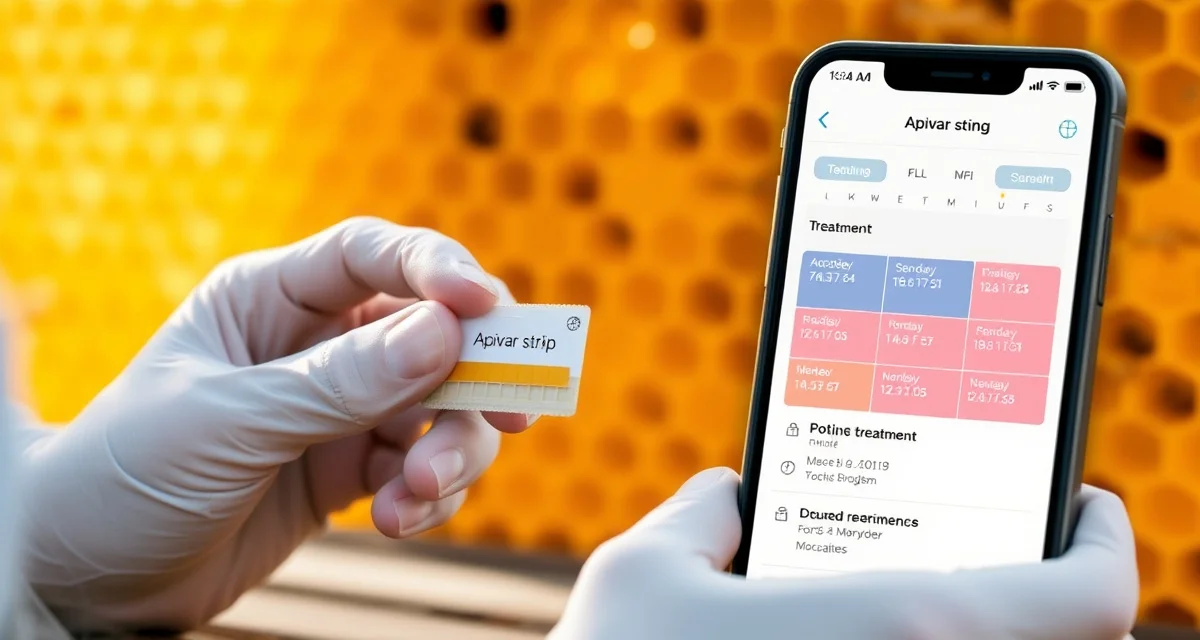
Using Calendar Integration for Varroa Treatment Scheduling
A varroa treatment that starts on time but has no reminder for strip removal is a varroa treatment waiting to go wrong. Beekeepers who apply Apivar strips in August and then get caught up in fall activities may leave strips in for 10 weeks instead of 6 to 8. The treatment still works, but residue risk increases and the next treatment cycle is thrown off schedule. Calendar integration solves this by turning treatment events into scheduled items with reminders, not just log entries.
What Calendar Integration Does for Beekeepers
When a varroa treatment event generates calendar entries automatically, the treatment becomes part of your scheduling infrastructure rather than something you have to remember to manage. A complete set of treatment-related calendar events includes:
- Treatment start reminder: Two to three days before the planned application date, alerting you to prepare supplies and schedule the yard visit.
- Mid-treatment check: For Apivar, a mid-point reminder at three to four weeks to check that strips are still in place and to assess colony condition.
- Treatment end date: The date strips should be removed, calculated automatically from your application date and the product's labeled treatment duration.
- Post-treatment mite count: Scheduled for 7 to 14 days after treatment completion, to verify efficacy.
- PHI clearance date: If honey supers were off during treatment, the date when they can go back on.
- Next monitoring due: Based on your configured monitoring interval, the next date a mite count is due.
With all of these events in your calendar, varroa management becomes a scheduled workflow rather than a set of things to remember independently.
Integration With Standard Calendar Platforms
The most useful calendar integration connects with the platforms beekeepers already use: Google Calendar, Apple Calendar, and Outlook. Rather than checking a separate app for treatment reminders, events appear in whatever calendar tool you already rely on for daily scheduling.
For operations with multiple apiaries, calendar integration filters events by yard or by operation so you can see all events for a specific yard in a date range. This is especially useful for planning yard runs: you can see at a glance which yards have treatment events due in the next two weeks and plan your routes accordingly.
Building Your Annual Calendar
The most effective approach is to build your full annual varroa management calendar at the start of each season rather than adding events reactively as treatments happen. With a planned seasonal schedule, you can see potential conflicts before they arise: a treatment that overlaps with a planned vacation, a post-treatment count due date that falls on a busy week, a PHI clearance date that is uncomfortably close to your planned honey extraction day.
A northern US beekeeper's annual varroa calendar might include:
- March: Spring mite count across all yards
- April: Treatment if needed (entries for application, duration, removal, and post-treatment count)
- July: Midsummer mite count
- August: Fall Apivar application (start, mid-check, removal, post-treatment count, PHI clearance)
- December: OAV treatment during broodless period (application, second application if needed, post-treatment count)
Placing all of these on a calendar in January, even before you know whether each treatment will be needed, means the reminders are there when the time comes.
Reminders vs. Requirements
A calendar integration system should support the distinction between planned events and triggered events. A planned event is something you expect to happen on a specific date regardless of mite counts, such as an annual fall Apivar application. A triggered event is something that happens because a mite count crossed a threshold.
When a triggered event occurs, such as a count above 2% in June, the calendar system should create the associated treatment chain automatically: treatment start date (user-configured), removal date, post-treatment count date, and PHI clearance date. The user should not have to manually create each calendar entry after each treatment decision.
VarroaVault generates treatment-related calendar entries automatically when you log a treatment event. When you record a strip application date, the system calculates the expected removal date and schedules a post-treatment count reminder based on your configured monitoring interval. The result is that every treatment decision you log produces a complete forward-looking schedule without additional manual entry.
Sharing Calendars With Team Members
For commercial operations where multiple people share treatment duties, calendar integration with shared calendar access ensures that everyone on the team sees the same treatment schedule. A worker who arrives at a yard to find strips that should have been removed last week is a failure of coordination that calendar sharing prevents.
Combined with the multi-apiary management software tools, shared calendar access across all yards gives a commercial operation a coordinated treatment schedule that all team members can see and act on.
FAQ
What is Using Calendar Integration for Varroa Treatment Scheduling?
Calendar integration for varroa treatment scheduling is a system that automatically converts your treatment activities into structured calendar events with reminders. Instead of relying on memory or manual notes, it creates entries for treatment start dates, mid-treatment checks, strip removal deadlines, and post-treatment mite counts. This turns varroa management into a scheduled workflow that fits alongside your other commitments, reducing the risk of missed steps or extended treatment windows.
How much does Using Calendar Integration for Varroa Treatment Scheduling cost?
Most calendar integration features are included in varroa management platforms like VarroaVault at no additional cost as part of a standard subscription. Some tools offer free tiers with basic reminders, while premium plans may include multi-hive scheduling, regional treatment calendar syncing, and export to Google Calendar or iCal. There is no specialized paid software required—if you already use a beekeeping management app, calendar integration is typically a built-in feature.
How does Using Calendar Integration for Varroa Treatment Scheduling work?
When you log a varroa treatment, the system calculates key dates based on the product's labeled duration and automatically creates calendar events: a preparation reminder 2–3 days before application, a mid-treatment check around week 3–4, a strip removal date at the labeled endpoint, and a post-treatment mite wash reminder. These events sync to your preferred calendar app—Google Calendar, Apple Calendar, or Outlook—and send push or email reminders at each milestone.
What are the benefits of Using Calendar Integration for Varroa Treatment Scheduling?
The core benefit is converting varroa treatment from a memory task into a managed schedule. Beekeepers avoid leaving strips like Apivar in too long, which increases chemical residue risk and disrupts future treatment timing. Reminders also prompt mid-treatment colony checks that catch problems early. Across multiple hives or apiaries, calendar integration prevents scheduling conflicts and ensures every colony completes its full treatment cycle without gaps or overlaps.
Who needs Using Calendar Integration for Varroa Treatment Scheduling?
Any beekeeper managing more than one or two hives benefits from calendar integration, but it is especially valuable for hobbyists with busy schedules, sideliners managing multiple yards, and commercial operations running staggered treatment rotations. If you have ever left Apivar strips in too long because fall got busy, or missed a post-treatment mite wash, calendar integration directly addresses that failure point. It is also useful for beekeepers new to treatment timing who need structured guidance.
How long does Using Calendar Integration for Varroa Treatment Scheduling take?
Setup takes minutes—log your treatment application date, select your product, and the system generates all downstream events automatically. The calendar entries themselves represent real elapsed time: a standard Apivar treatment runs 6–8 weeks, so your removal reminder appears 42–56 days after your logged start date. Post-treatment mite washes are typically scheduled 3–5 days after strip removal. You manage the schedule once at the start; the reminders run themselves from there.
What should I look for when choosing Using Calendar Integration for Varroa Treatment Scheduling?
Look for a tool that calculates removal dates automatically based on labeled treatment durations rather than requiring manual date entry. Native sync to Google Calendar, Apple Calendar, or iCal is essential so reminders reach you through apps you already use. Multi-hive support with per-colony event tracking matters if you manage more than a handful of colonies. Bonus features include regional treatment calendar guidance, efficacy log integration, and alerts when treatment windows conflict with honey supers or nectar flows.
Is Using Calendar Integration for Varroa Treatment Scheduling worth it?
Yes, for any beekeeper who has experienced a treatment going off-schedule due to a missed reminder or a busy season, calendar integration pays for itself in reduced residue risk, better colony outcomes, and less mental overhead. Varroa management requires precise timing—a week's delay in strip removal or skipping a post-treatment mite wash can compromise the entire cycle. Automating that timing removes the most common source of human error in an otherwise straightforward protocol.